When working with MongoDB, you often hear two terms:
JSON (JavaScript Object Notation)
BSON (Binary JSON)
At first, they look similar — but internally, MongoDB uses BSON, not JSON.
Understanding this difference is very important for MERN students, because it explains:
How data is stored
Why MongoDB is fast
How queries work efficiently
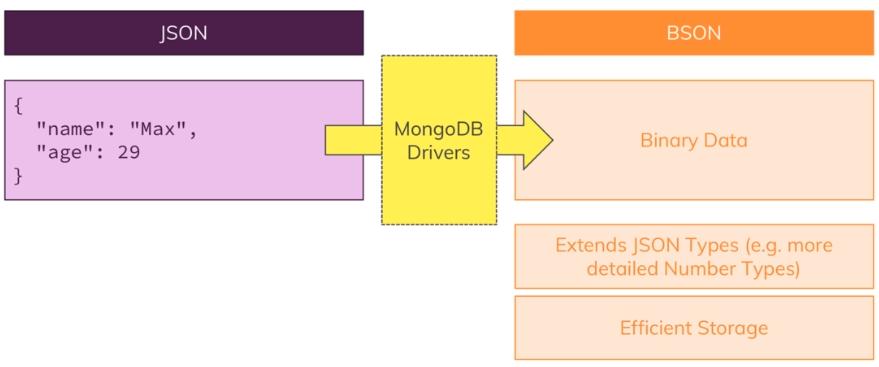
What is JSON?
JSON is a human-readable data format used to store and transfer data.
Example (JSON)
{
 "name": "Ravi",
 "age": 25,
 "isStudent": false,
 "skills": ["JavaScript", "React"]
}
Features of JSON:
Easy to read and write
Text-based format
Used in APIs (frontend ↔ backend communication)
What is BSON?
BSON stands for Binary JSON.
It is a binary-encoded format used internally by MongoDB to store documents.
Example (Conceptual BSON)
\x16\x00\x00\x00
\x02name\x00\x05\x00\x00\x00Ravi\x00
\x10age\x00\x19\x00\x00\x00
\x08isStudent\x00\x00
\x04skills\x00...
Not human-readable — optimized for machines.
Key Differences Between JSON and BSON
Feature | JSON | BSON |
|---|---|---|
Format | Text | Binary |
Readability | Human-readable | Machine-readable |
Speed | Slower parsing | Faster parsing |
Data Types | Limited | Rich (Date, Binary, ObjectId) |
Size | Smaller | Slightly larger |
Use Case | Data exchange | Internal storage in MongoDB |
Supported Data Types
JSON Data Types:
String
Number
Boolean
Array
Object
Null
BSON Data Types:
All JSON types +
Date
Binary data
ObjectId
Decimal128
Timestamp
This is why MongoDB is powerful — it supports more complex data types.
Why MongoDB Uses BSON?
Faster Performance
Binary format → faster parsing
Efficient for large datasets
Rich Data Types
Native support for Date, ObjectId
Better querying
Efficient Storage & Indexing
Easier for database engine to process